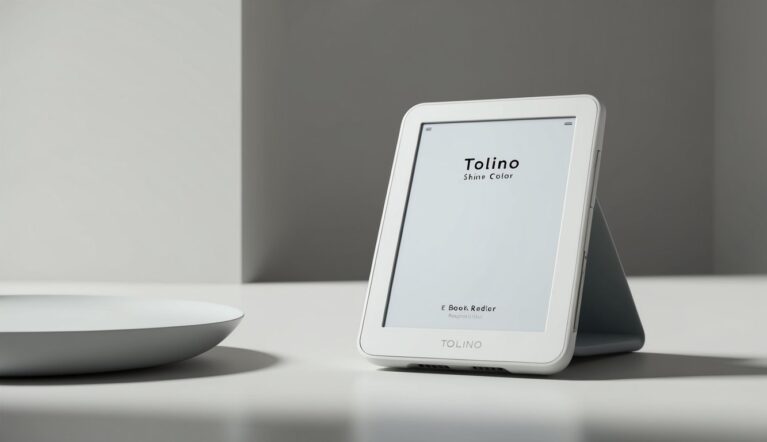
Tolino Page Review
Technical Analysis and Market Assessment
Overview
The Tolino Page (2016) was designed as an entry-level e-reader, offering essential reading features at an accessible price point. This model focuses on core functionality while maintaining Tolino’s quality standards and ecosystem access.
Technical Specifications
| Feature | Specification |
|---|---|
| Display | 6-inch E Ink Pearl |
| Resolution | 800 x 600 pixels (167 ppi) |
| Storage | 4GB (approximately 2,000 books) |
| RAM | 256MB |
| Processor | 800MHz Freescale i.MX6 |
| Lighting | None |
| Battery | 1000 mAh Li-ion |
| Connectivity | Wi-Fi 802.11 b/g/n |
| Ports | Micro USB |
| Dimensions | 151 x 113 x 8.6 mm |
| Weight | 170g |
| Water Protection | None |
| Supported Formats | EPUB, PDF, TXT |
Page Series Comparison
| Feature | Page | Page 2 | Shine Basic |
|---|---|---|---|
| Display | Pearl | Carta | Pearl |
| Resolution | 167 ppi | 212 ppi | 167 ppi |
| Storage | 4GB | 8GB | 4GB |
| Lighting | No | Yes | No |
| Release Year | 2016 | 2018 | 2015 |
| Key Feature | Low cost | Basic light | Entry price |
| Price at Launch | €69 | €89 | €79 |
Display Technology
Basic E Ink Pearl display:
Display Features:
- 167 ppi resolution
- 16 grayscale levels
- Basic contrast
- Standard refresh
- IR touch system
- Anti-glare coating
Reading Experience:
- Basic text display
- Standard contrast
- Daylight reading
- Touch response
- Page turns
- Basic navigation
Connectivity & Ports
Basic connectivity options:
Physical Connections:
- Micro USB port
- Standard charging
- Basic data transfer
- Simple design
- Standard durability
Wireless Features:
- Basic Wi-Fi
- Store access
- Cloud sync
- Updates
- Basic connectivity
- Network support
Software & Reading Features
Essential reading platform:
Reading Enhancements:
- 6 font choices
- Basic font sizes
- Line spacing
- Margin control
- Dictionary support
- Basic notes
- Highlights
- Progress tracking
Navigation Features:
- Simple interface
- Basic library
- Standard search
- Bookmarks
- Progress display
- Simple organization
Value Analysis (2016)
At its 2016 release price of €69:
Market Position:
- Entry-level segment
- Basic features
- Simple design
- Essential functions
- Lowest price point
Value Factors:
- Affordable price
- Basic reading
- Simple usage
- Store access
- Update support
Current Market Comparison
Current market standing:
Strengths:
- Low cost
- Simple operation
- Basic reliability
- Easy usage
- Ecosystem access
Limitations:
- Basic display
- No lighting
- Limited features
- Older hardware
- Basic performance
Continue reading Part 2 for historical comparison, known issues, and final assessment
Historical Analysis and Recommendations
Return to Part 1 for specifications and features
Historical Model Comparison
Comparing with earlier basic models:
Display Features:
- Standard Pearl screen
- Basic resolution
- Simple touch
- Standard contrast
- Basic performance
- Entry-level quality
Hardware Elements:
- Basic processor
- Standard memory
- Simple battery
- Essential components
- Basic build
- Cost optimization
Software Features:
- Simple interface
- Basic functions
- Essential features
- Standard support
- Simple updates
- Core capabilities
Known Issues
Based on user experience:
Software-Related:
- Slow page turns
- Basic interface lag
- Simple search delays
- WiFi disconnects
- Update delays
- Memory limitations
Hardware-Related:
- Screen contrast
- Port durability
- Battery life
- Build quality
- Touch response
- Storage limits
Workarounds:
- Regular restarts
- Memory management
- Battery care
- Gentle handling
- Format optimization
Who Should Buy
Target audience analysis:
Ideal Users:
- First-time readers
- Budget buyers
- Occasional readers
- Simple needs
- Basic usage
Not Recommended For:
- Heavy readers
- Feature seekers
- PDF users
- Night readers
- Power users
Model Selection Guide
Choosing between basic models:
Page Best For:
- Lowest cost
- Basic needs
- Simple use
- Daylight reading
- Essential features
Page 2 Better For:
- Night reading
- Better display
- More storage
- Enhanced features
- Modern needs
Shine Basic For:
- Middle ground
- Basic features
- Standard use
- Value focus
- Simple needs
Final Assessment
Comprehensive evaluation:
Strengths:
- Low cost
- Simple use
- Basic reliability
- Easy interface
- Store access
Limitations:
- Basic display
- No lighting
- Limited features
- Slower performance
- Basic build
Overall Rating: 3.5/5
- Display Quality: 3/5
- Build Quality: 3.5/5
- Features: 3/5
- Value: 4/5
- Software: 3.5/5
Value Proposition
Long-term value assessment:
Investment Justification:
- Lowest cost
- Basic reading
- Simple needs
- Store access
- Update support
Cost Considerations:
- Minimal investment
- Basic features
- Standard support
- Simple needs
- Limited upgrades
Pro Tips
Maximizing the Page experience:
Device Optimization:
- Regular restarts
- Memory cleanup
- Format selection
- WiFi management
- Battery care
Reading Enhancement:
- Font selection
- Size adjustment
- Daylight use
- Format choice
- Simple organization
Maintenance Best Practices:
- Gentle handling
- Regular cleaning
- Port care
- Storage management
- Update checks
Return to Part 1 for specifications and features