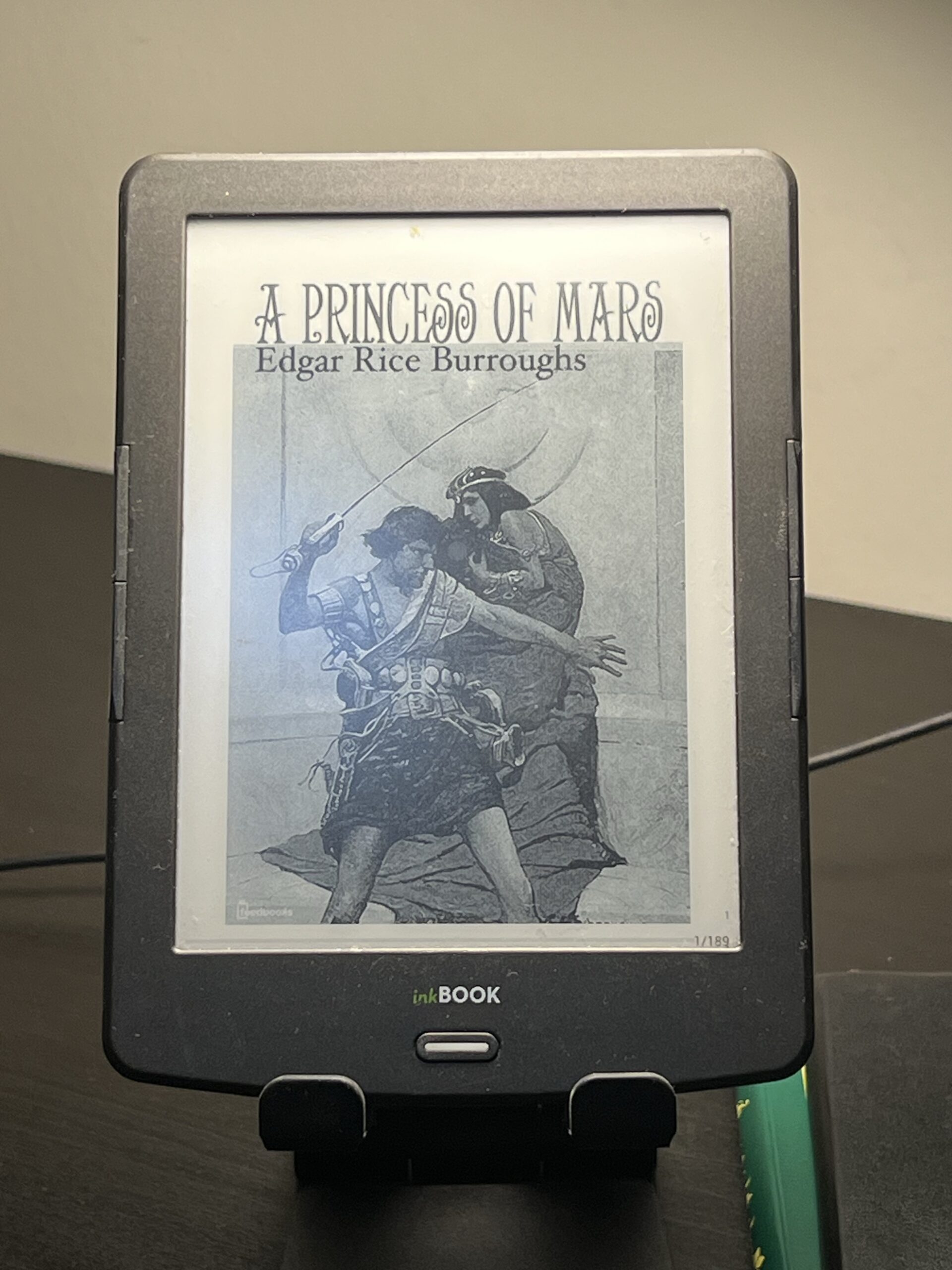
inkBOOK Classic 2: The Budget Reader That Won A Design Award
/
Disclosure: we earn a commission if you buy through links on this page. It costs you nothing and it keeps the lights on.
Somewhere in a drawer in Poland — or possibly on a shelf in a design museum, because this actually happened — sits a Red Dot Award certificate for an e-reader that cost around $89 at launch and shipped with a screen resolution lower than a 2007 Kindle. That is not a contradiction most budget electronics manage to pull off. The inkBook Classic 2 did.
What it actually is
Arta Tech is a small Polish company, not a name you’ll find on any brand hub or “best of” list assembled by the usual English-language sites. In late 2016 they released the Classic 2, a $89 e-reader that, against every expectation the price tag sets, picked up a Red Dot Award for product design — one of the more respected design prizes in Europe, and a genuinely unusual thing for hardware in this price bracket. Reviewers at The eBook Reader and Good e-Reader both noted, with a hint of surprise in their own writing, that it didn’t feel cheap in hand despite what it cost.
The more interesting fact, though, is buried in the software. The inkBook Classic 2 ran Android 4.2.2 — an actual, sideloadable, app-installing version of Android, on an £80 device, in 2016. That’s not a footnote. That’s the ancestor of what Onyx BOOX does today with its entire Android-e-ink lineup, years before BOOX had made that idea mainstream. Nobody was paying attention to a small Polish company doing it first and cheaper. Frame it as a road not taken: the idea that an e-reader could also be a lightweight Android device was sitting in a budget product from an unknown brand well before it became the premise of an entire product category.
Specifications
| Screen | 6″ Carta E-ink touchscreen |
| Resolution | 800 × 600 (low even for 2016 — see below) |
| Front light | None |
| Processor | Dual-core |
| RAM | 512 MB |
| Storage | 4 GB internal, microSD to 32 GB |
| OS | Android 4.2.2 (sideloadable) |
| Touch | 2-point capacitive |
| Controls | Two programmable page-turn buttons flanking the screen |
| Launch price | Around $89 (late 2016) |
What it’s actually like to use — and what’s wrong with it
Two things are true about the inkBook Classic 2 at once, and a fair article has to hold both.
The first is that Android 4.2.2 genuinely opened the device up in a way most e-readers of its era didn’t. You could sideload apps, not just read the manufacturer’s approved formats. For someone who wanted an e-ink device that could also run KOReader, a dictionary app, or whatever else they found useful, that was a real capability, not a marketing bullet point.
The second is that the hardware underneath that software was not up to the job it was being asked to do. 800 × 600 was already dated at launch — Kindles and Kobos had moved well past that resolution years earlier, and text on the Classic 2 shows it: less crisp, more visibly pixelated at normal reading sizes than competing devices from the same year. And there is no front light, which in 2016, on a device positioned as a serious budget reader, was a real omission — by then, front lights had become close to standard even on entry-level hardware from Kindle and Kobo. Reading in bed meant a clip-on lamp or nothing.
The 512 MB of RAM and dual-core processor running Android 4.2.2 also means the device is slow by any modern standard — Android on underpowered e-ink hardware from this era is not a snappy experience, and menu navigation and app-switching will test your patience if you’re used to anything built in the last five years.
Who should buy one now, if anyone
Almost nobody needs this specific device today, and Arta Tech doesn’t appear to have a current mainstream product that inherits its position — the “cheap Android e-reader” niche the Classic 2 briefly opened is now dominated entirely by one company.
Buy one if: you collect design-award-winning budget electronics (a genuinely tiny niche, but it exists) · you’re curious about pre-BOOX Android e-ink and want to hold a piece of that history · you don’t mind a dim screen and slow software in exchange for sideloading apps on the cheap.
Do not buy one if: you want to read in low light, you want crisp modern text rendering, or you want anything resembling responsive software. For all three, the device that actually finished what the inkBook Classic 2 started is a current BOOX reader — same idea of Android-on-e-ink, executed with a decade of hardware improvement behind it. Our BOOX hub covers the current lineup and which model fits which use case.
If what draws you to this device is the used and unusual hardware angle rather than the Android capability specifically, our used e-reader guide is worth reading first — it covers what tends to fail on e-readers this old, battery health being the biggest one.
Where to find one
The inkBook Classic 2 turns up occasionally on eBay, usually from European sellers, and rarely in large numbers — this was never a device with wide international distribution. Search “inkBOOK Classic 2” directly rather than just “inkBOOK,” since Arta Tech has released other models under the same house name and listings get mixed together.
Check battery health and screen condition carefully before buying. A 2016 device is pushing a decade old by 2026, and Li-ion cells of that age often hold a fraction of their original capacity even if the device otherwise powers on fine.
Questions people actually ask
Did the inkBOOK Classic 2 really win a design award?
Yes — a Red Dot Award for product design, an unusual achievement for a budget e-reader at this price point.
Can I install apps on it?
Yes, in principle — it runs Android 4.2.2 and supports sideloading. In practice, expect slow performance given the 512 MB of RAM and modest dual-core processor.
Does it have a front light for reading in the dark?
No. This is one of its clearest omissions, even by 2016 standards.
Is 800 × 600 resolution actually noticeable when reading?
Yes, especially compared to any Kindle or Kobo from the same era or later. Text is legible but visibly less sharp than on higher-resolution panels.
Sources: The eBook Reader review; Good e-Reader review; launch report, $89 price point. Specs as provided in the project research brief.
This is one of the odd ones. If you own something stranger, we would like to see it — the Miscellaneous E-Readers section exists precisely for devices the rest of the internet forgot.